Reduce your PDF file size for email, upload, or storage — without making it look blurry or pixelated. Here is exactly how to do it.
Need to do this yourself? Compress PDF is available directly in your browser.
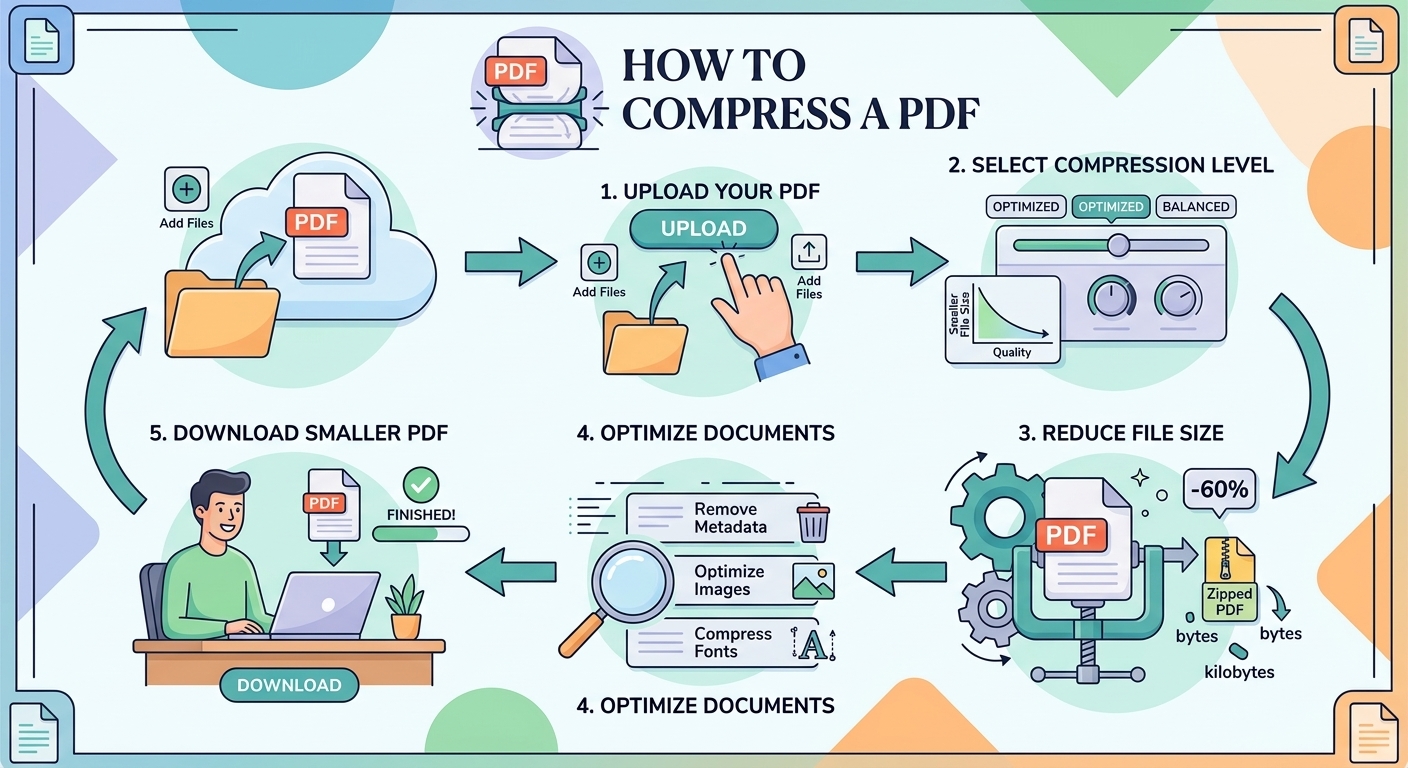
Large PDF files can be difficult to email, upload, or store. Compressing a PDF reduces its file size while aiming to keep the document clear and readable.
How to compress a PDF
- Open the Compress PDF tool at FreePDFTools.site.
- Upload your PDF document by dragging it into the tool or selecting it from your device.
- Choose the available compression level based on the balance you want between file size and visual quality.
- Compress the file and wait for processing to finish.
- Compare the result with the original before downloading and sharing it.
How to keep quality high
Use moderate compression for documents containing scanned pages or important images. Always review the final PDF before sharing it.
- Preview the compressed PDF before sending it.
- Check small text and scanned pages at normal viewing size.
- Use moderate compression when images are important.
- Keep the original PDF if you may need the highest-quality version later.
When should you compress a PDF?
Compression is useful when a PDF is too large for an email attachment, upload limit, cloud storage, or convenient sharing.
Does compressing a PDF reduce quality?
It can, depending on the compression method and level. Image-heavy or scanned PDFs may show more noticeable changes, so always review the compressed file before replacing your original.
Compress your PDF for free
You can reduce your PDF size directly in your browser with the FreePDFTools Compress PDF tool — no software installation required.
Explore Topics


Try the PDF tool from this guide
Compress PDF — use the free browser-based tool without leaving this site.