Need to do this yourself? PDF Editor is available directly in your browser.
Fill in PDF forms online, type into fields, add checkmarks and complete documents without Adobe Acrobat.
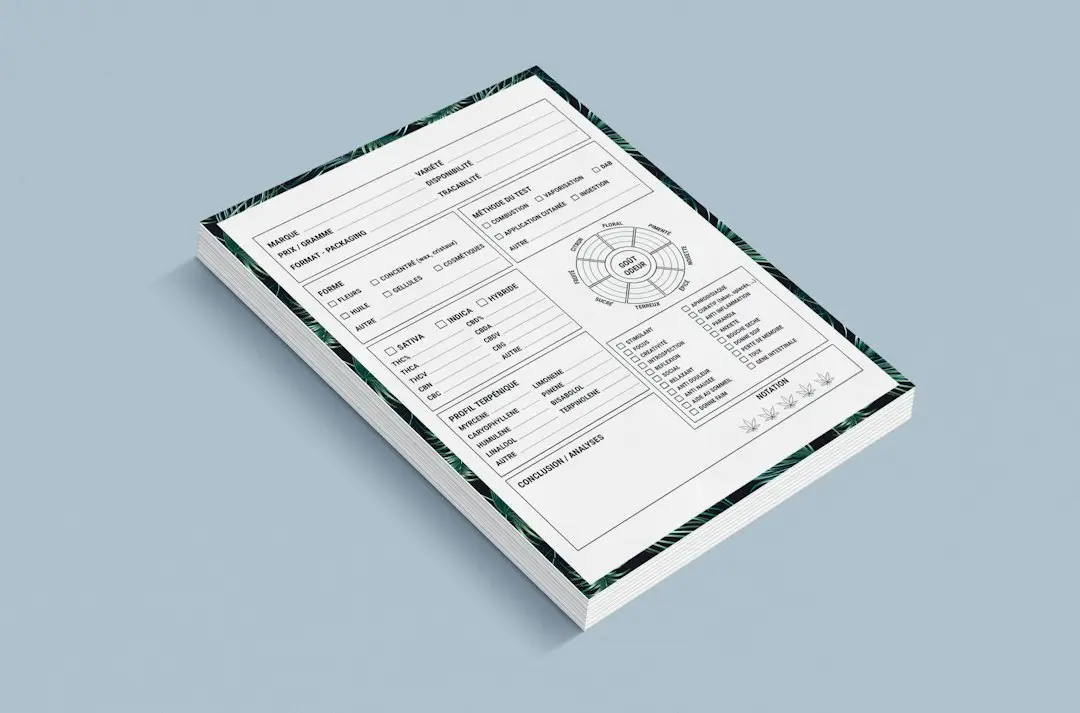
PDF forms are used for applications, invoices, registrations, agreements, and everyday business paperwork. You can often complete them without Adobe Acrobat or printing a paper copy. The right method depends on the file: an interactive PDF has clickable fields, while a flat or scanned PDF may need text placement or OCR before you can work with it. This guide explains how to fill in a PDF form online, check the finished file, and choose the next step if the fields are not editable. For the quickest route, open the Fill PDF Form tool and follow the steps below.
How to fill out a PDF form without Adobe
- Open the Fill PDF Form tool.
- Select the form from your device.
- Click each available field and enter your information.
- Review text, checkboxes, dates, and signatures.
- Save and download the completed PDF.
How to fill in blanks on a PDF document (PDFs with blank lines)
Some PDFs are not interactive forms. If there are only printed lines or empty boxes, you may need an edit or text tool that lets you place text over the page. Review alignment and font size before saving.
Can I add a signature to a PDF form?
Yes. If the workflow supports signatures, you can complete form fields and then add an electronic signature. For a dedicated signing workflow, see our PDF signing guide.
Tips for completing PDF forms
- Use the exact spelling shown on supporting documents.
- Check dates and numbers before downloading.
- Do not leave required fields empty.
- Review every page before submitting.
- Keep a copy of the completed form.
Interactive PDF vs flat PDF
Before filling a form, check whether the fields are clickable. If they are not, you may need a tool that places text over the page rather than a form-field editor. After saving, reopen the downloaded copy and confirm the entries are visible, not clipped, and remain in the correct fields.
For forms containing personal, financial, or employment details, verify the site’s privacy information and the recipient’s submission requirements before processing. Keep an unmodified blank copy if you may need to complete the form again.
If the form is actually a scanned image, OCR may help make its text searchable, but it does not automatically recreate every form field. See our OCR guide for the distinction.
Troubleshooting: why can’t I type into my PDF form?
If you cannot type into a PDF form, first check whether the document has interactive fields or is a flat scan. Try clicking directly inside a blank field. If nothing activates, use a PDF editor that supports placing text over the page; for a scanned document, OCR may make text searchable but will not automatically rebuild every form field. If the form opens but entries disappear, download the saved copy and reopen it in a PDF viewer to verify the entries were retained.
For job applications, registration forms, invoices, or other documents with checkboxes, review each page at normal zoom before sending. Confirm that text is aligned with the correct blank, required boxes are checked, and dates or reference numbers match the supporting documents.
Frequently asked questions
How do I fill out a PDF form online for free?
Open the Fill PDF Form tool, select your form, click each field to type your information, review every page, and download the completed PDF.
How can I complete a PDF form without printing it?
Fill in the fields on screen, check the entries, and save the finished PDF. You can then send or upload the completed file instead of printing and scanning it.
How do I fill in a PDF without Adobe?
You do not need Adobe Acrobat. A browser-based tool lets you type into the form fields, and your file is processed locally in your browser.
Can I create a fillable PDF form?
This guide is about completing existing forms. Creating new form fields is a different task that needs a PDF form editor.
Can I fill a PDF form on my phone?
Yes, when the browser and PDF tool support mobile input. Review the final file before submitting it.
Can I fill out a PDF for free?
Yes. Free browser-based tools can handle many standard PDF form workflows.
Fill your PDF form for free
Use FreePDFTools to complete a PDF form without installing Adobe Acrobat.
Explore Topics
Try the PDF tool from this guide
PDF Editor — use the free browser-based tool without leaving this site.